White labeling Windmill
Windmill provides a library to embed the entire Windmill app or specific components - such as the Flow editor or the low-code app editor (legacy) - with a simplified UI into your own application or website. This enables you to provide Windmill's services to your clients while maintaining your brand's identity.
Windmill offers an SDK compatible with any framework, simplifying its integration across various platforms. It can be built in collaboration with us using React/Svelte and our full SDK.
In particular, for React, the React SDK below contains all components from the Windmill frontend. The App Viewer and Flow Builder are already available, and we maintain a webpack example repository showing how to embed them. Check our demo of using the Windmill SDK backed by app.windmill.dev to white label Windmill's Flow Builder and App Viewer in a React app using the default create-react-app template.
Also, Private Hub is available for white labeling. It allows you to have your own platform and approval process for scripts, flows, apps and resource types suggested within the app.
White labeling requires a special license and the package @windmill-labs/windmill-react-sdk is not public. Please contact us at sales@windmill.dev, on Discord, or schedule a meeting with the founder to get started.
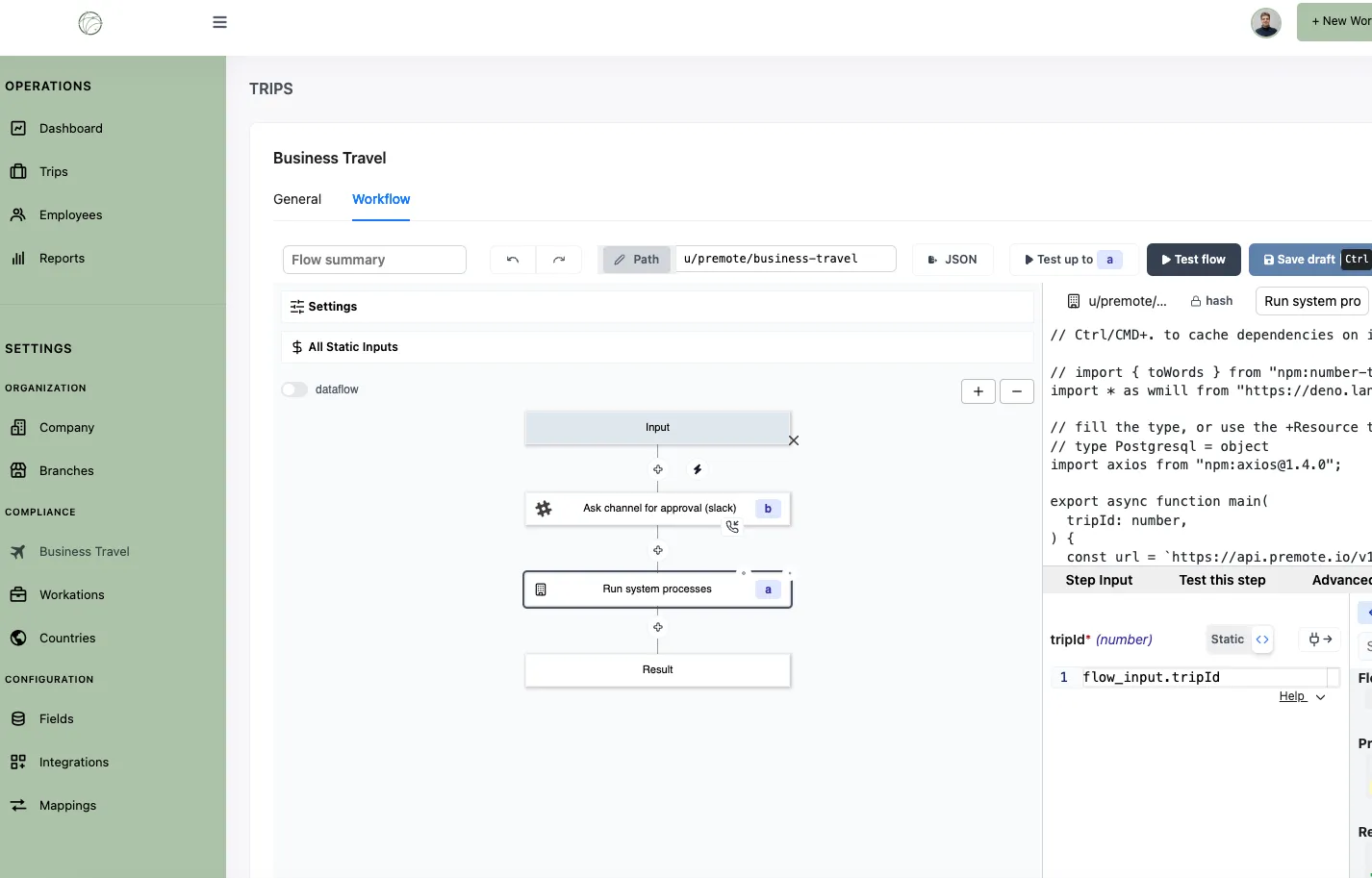
Example of Windmill's flow editor being white labeled by Premote:
React SDK
The Windmill React SDK provides a suite of tools and components to integrate Windmill applications (scripts editor, flows editor, app editor and its deployed apps) into React-based projects. If you're looking to build a standalone React app connected to Windmill backend runnables, see full-code apps instead.
Installation
Add the following to your project:
'windmill-react-sdk': 'file:windmill-react-sdk-X.XXX.X.tgz'
The SDK is not available on NPM. The SDK will be provided as a .tgz file.
Configuration
As Windmill is built with Svelte, you will need to add the Svelte compiler to your project.
Using Vite
Add the following to your vite.config.js:
import react from '@vitejs/plugin-react';
import { svelte } from '@sveltejs/vite-plugin-svelte';

export default defineConfig({
	plugins: [svelte(), react()]
});
An example is provided directly in the windmill-react-sdk repository.
Using webpack 5 (Next.js)
You need to install svelte-loader and add the following to your next.config.js:
const nextConfig = {
	webpack: (config) => {
		config.module.rules.push({
			test: /\.(svelte)$/,
			use: [
				{
					loader: 'svelte-loader',
					options: {
						emitCss: true,
						hotReload: true
					}
				}
			]
		});

		return config;
	}
};

module.exports = nextConfig;
Usage
Authentication
import { UserService } from 'windmill-client';

UserService.login({
	requestBody: { email: YOUR_EMAIL, password: YOUR_PASSWORD }
})
	.then(() => {
		// Handle successful login
	})
	.catch((error) => {
		// Handle login errors
	});
Replace YOUR_EMAIL and YOUR_PASSWORD with the corresponding values.
App preview
import { AppPreview } from 'windmill-react-sdk';

function MyApp() {
	return <AppPreview workspace={YOUR_WORKSPACE} appPath={YOUR_APP_PATH} />;
}
Replace YOUR_WORKSPACE and YOUR_APP_PATH with the corresponding values.
Customizing the UI
The FlowBuilder and ScriptBuilder components accept a customUi prop to show, hide or lock parts of the editor so it matches your product. Options are nested by area (for example topBar, settingsTabs, editorBar). All options default to true (shown/editable) when not specified, so omitting customUi renders the full editor.
For example, to control the top bar of the flow builder:
import { FlowBuilder } from 'windmill-react-sdk';

function MyFlowBuilder() {
	return (
		<FlowBuilder
			customUi={{
				topBar: {
					path: true, // show the path header
					editablePath: false, // lock path editing in the header and in the flow settings
					editableSummary: true // allow editing the flow summary
				}
			}}
		/>
	);
}
The topBar path options behave as follows:
path: show or hide the path header at the top of the editor.editablePath: enable or disable path editing. When set tofalse, both the header path field and the Path field in the flow settings are hidden.editableSummary: enable or disable editing of the flow summary.
The same topBar options are available on the ScriptBuilder component.