States, resources & shared directory
This page is part of our section on Persistent storage & databases which covers where to effectively store and manage the data manipulated by Windmill. Check that page for more options on data storage.
States, resources and the shared directory are convenient for persisting small, transient JSON between job executions or for passing data between steps of a flow. They are not recommended as a general-purpose persistence layer: they are meant for small payloads, and the shared directory is ephemeral to a single flow execution. For larger or long-lived data, prefer an external database or object storage (S3, R2, MinIO, Azure Blob, GCS).
States and resources
Within Windmill, you can use states and resources as a way to store a transient state - that can be represented as small JSON.
- A state is an object stored as a resource of the resource type
statewhich is meant to persist across distinct executions of the same script (by the same trigger). States are what enable flows to watch for changes in most event watching scenarios (trigger scripts). UsegetState/setState(TypeScript) orget_state/set_state(Python) from the wmill client. - Custom flow states store data across steps in a flow: set and retrieve a value given a key from any step, with the same lifetime as the flow job itself.
- For an arbitrary path or a type other than
state, usesetResource/getResourceto persist any JSON as a resource that can be shared across scripts and flows. Variables are similar but untyped, string-only, and can be tagged assecret.
Shared directory
For heavier ETL processes or sharing data between steps in a flow, Windmill provides a Shared Directory feature. This allows steps within a flow to share data by storing it in a designated folder at ./shared.
To enable the Shared Directory:
- Open the
Settingsmenu in the Windmill interface - Go to the
Shared Directorysection - Toggle on the option for
Shared Directory on './shared'
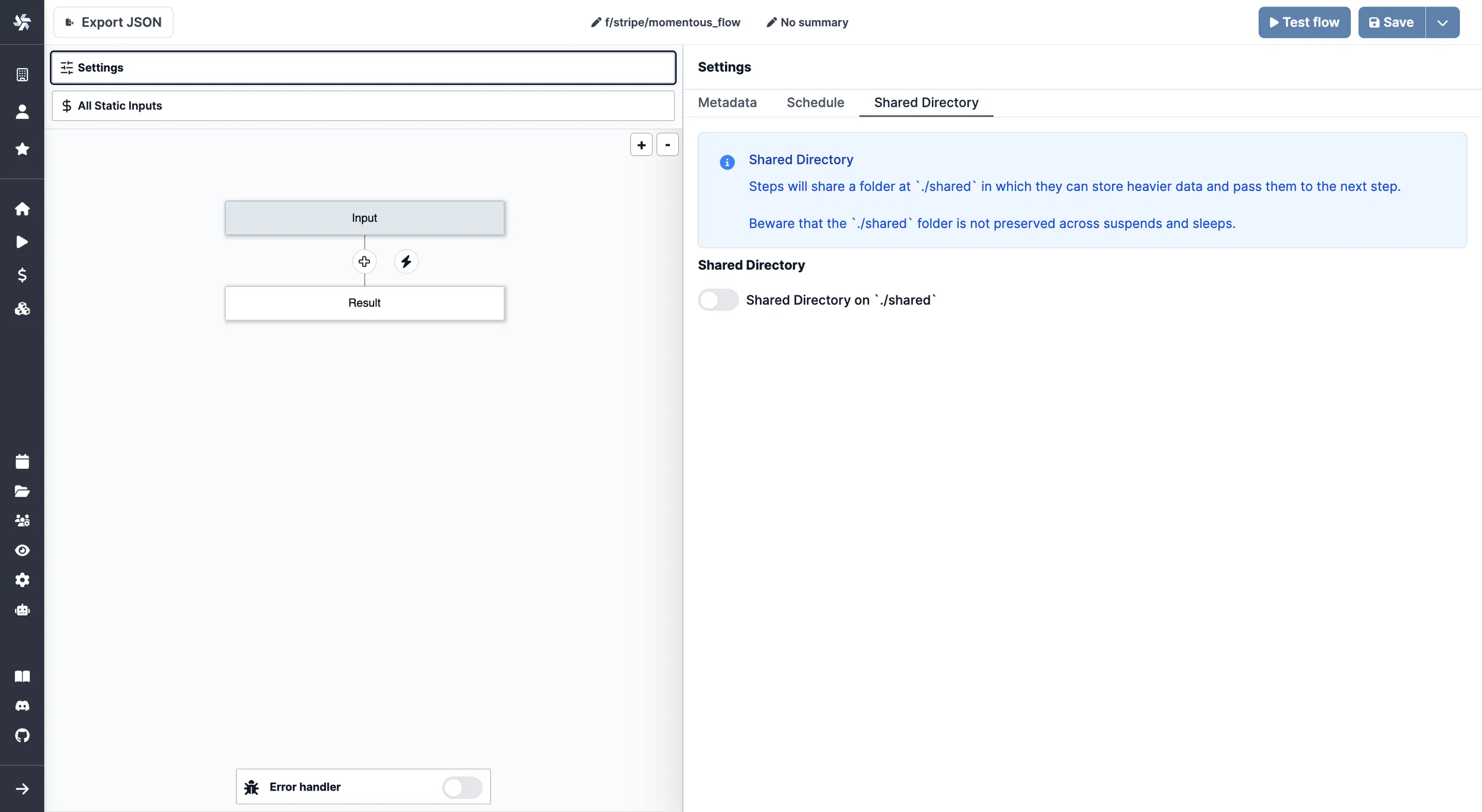
Once enabled, steps can read and write files to the ./shared folder to pass data between them. This is particularly useful for:
- Handling larger datasets that would be impractical to pass as step inputs/outputs
- Temporary storage of intermediate processing results
- Sharing files between steps in an ETL pipeline